Documents & Scanner - DocDuck
Paperwork,
scanned.
Private PDF Vault & Search
A private document vault and scanner for keeping everyday paperwork organized, searchable, understandable, and safer to share.

Free to download. Paid features may apply.
If the preview cannot play, explore the features below or download the app.
TL;DR — what is DocDuck?
- Scan or import paperwork from your camera, Files, Photos, PDFs, and images — including multi-page documents.
- Give every part of life its own vault or folder, from household bills to medical records and warranties.
- Use tags, metadata, and search to find what you need by name, date, topic, or the words inside a document.
- On-device AI can suggest titles, metadata, and plain-language summaries, so documents are easier to understand.
- When you choose to share, optional privacy masking helps remove sensitive details before a document leaves your hands.
The long version
Scan a stack, not a chore
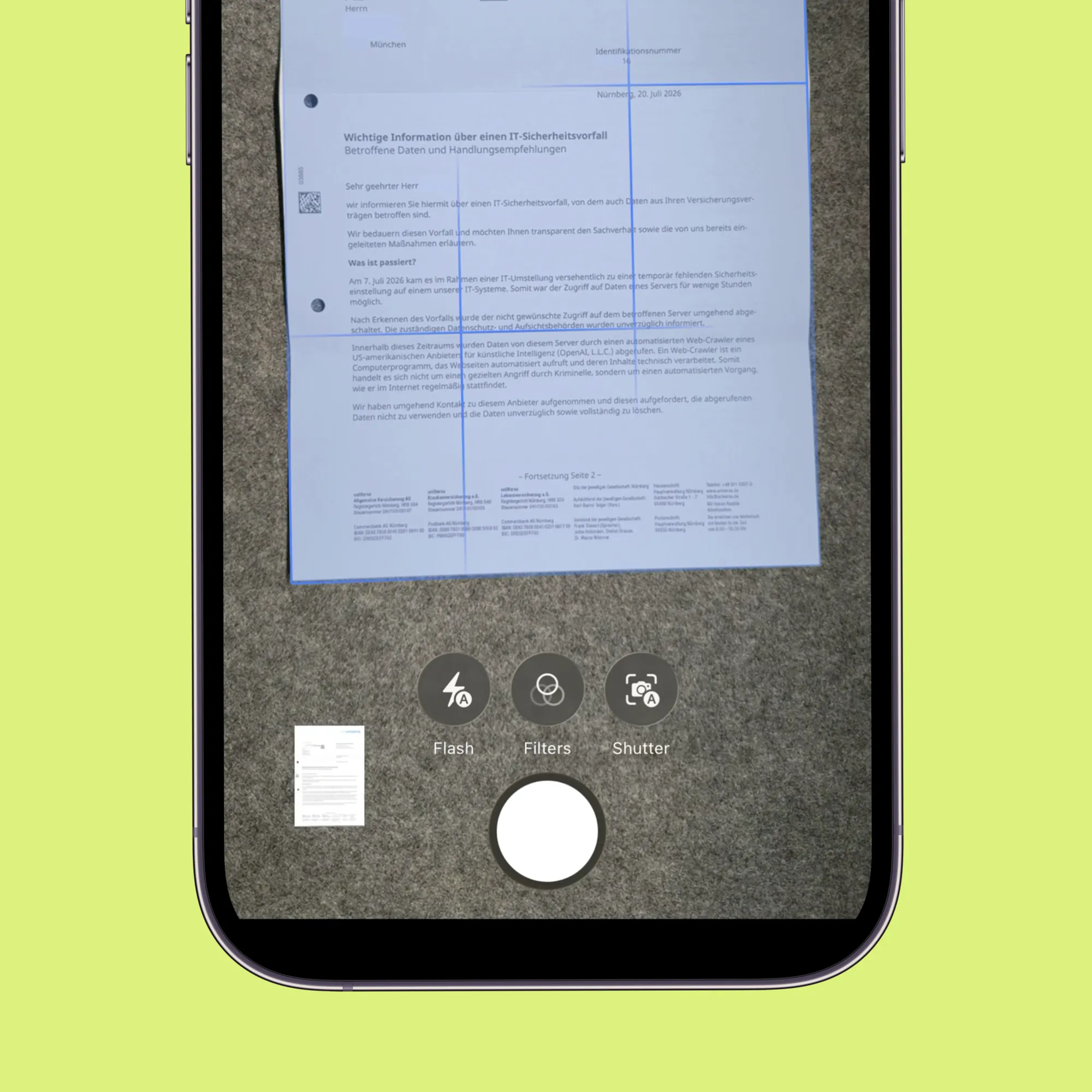
Point your phone at a letter, or import PDFs, photos, and images from Files and Photos. Multi-page paperwork stays together.
Make paperwork make sense
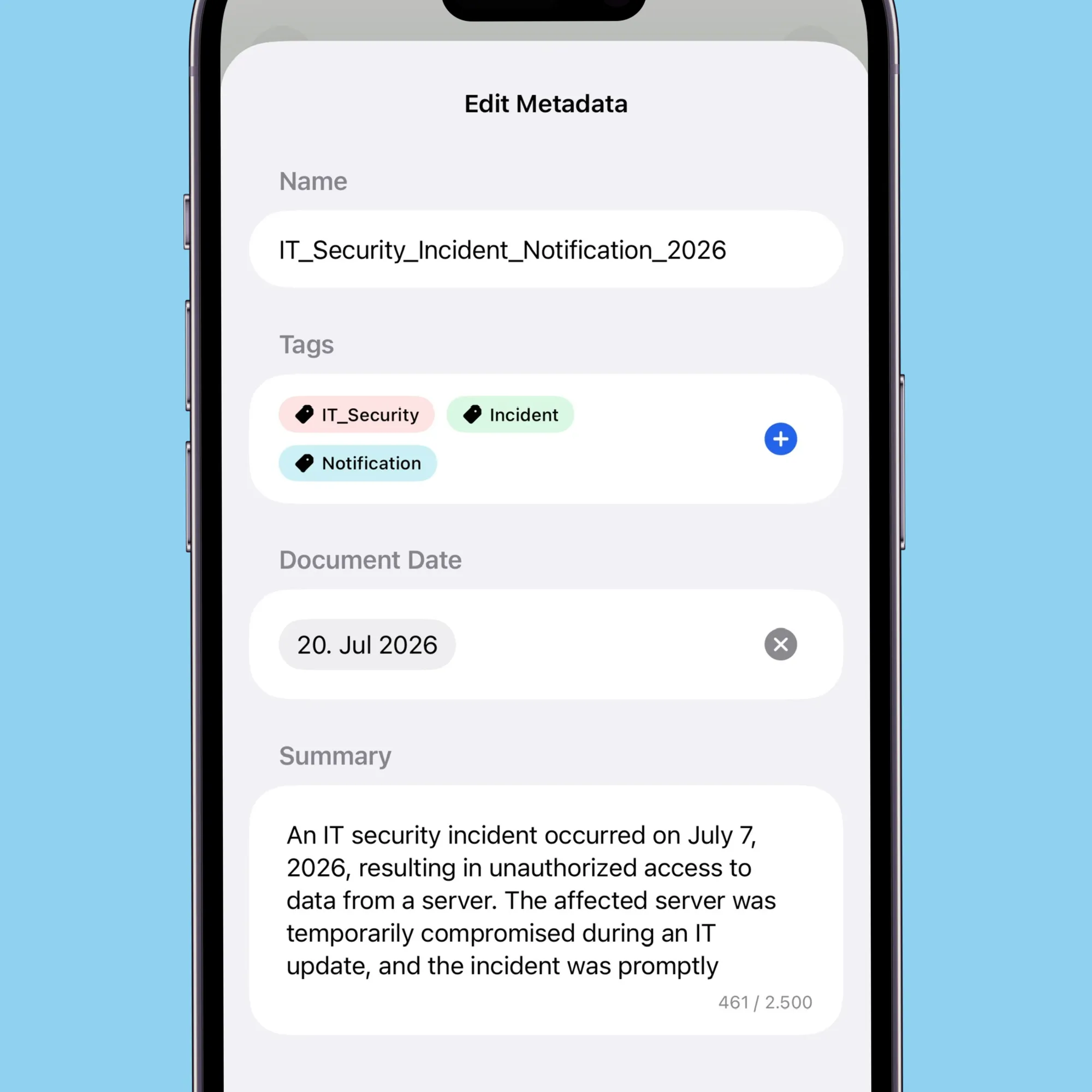
On-device AI can suggest a title, date, tags, metadata, and a plain-language summary. Review the suggestions and keep what helps.
Share with more control
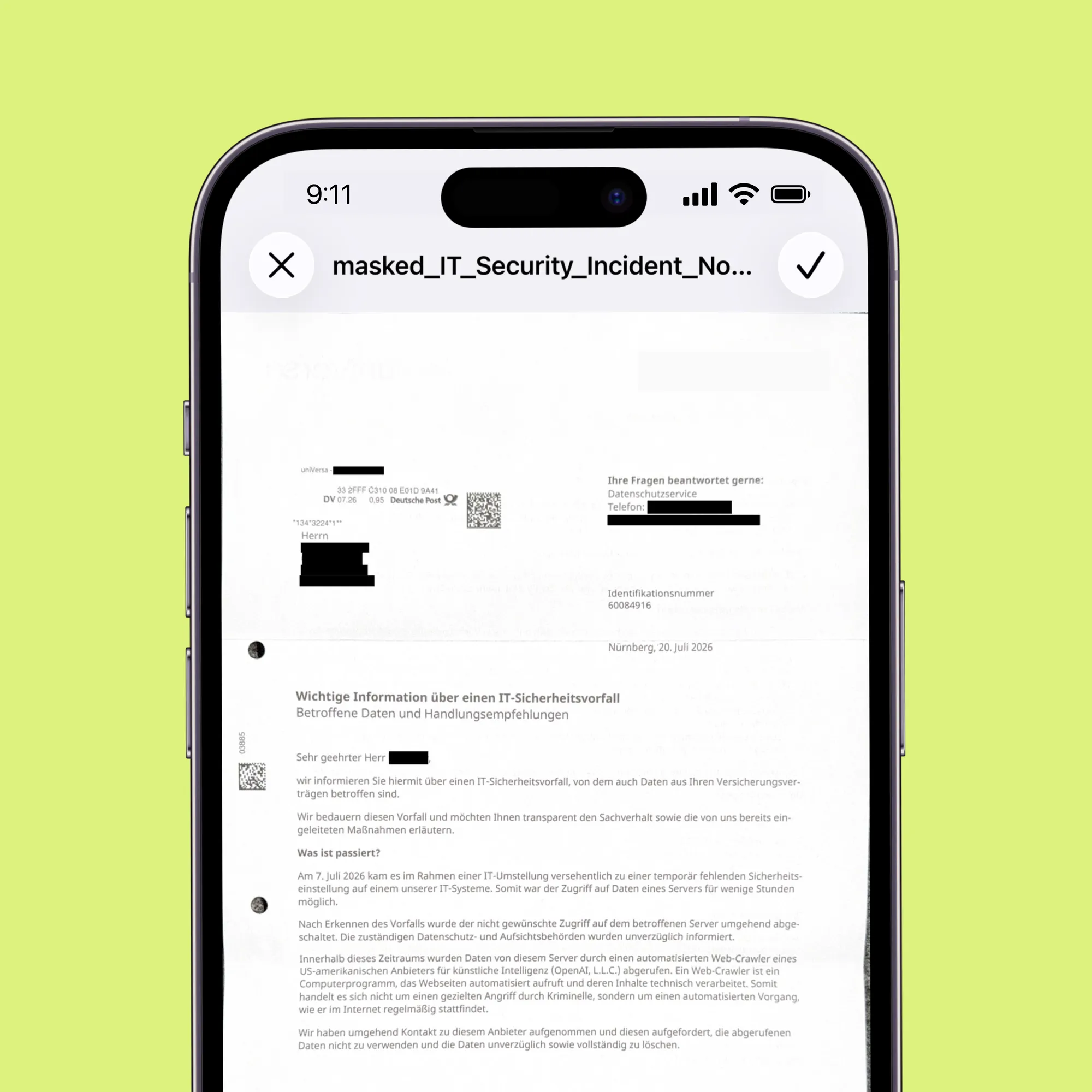
Optional privacy masking helps remove details like an address, phone number, or account number before you share a document with a person or AI tool.
A calm home for every paper
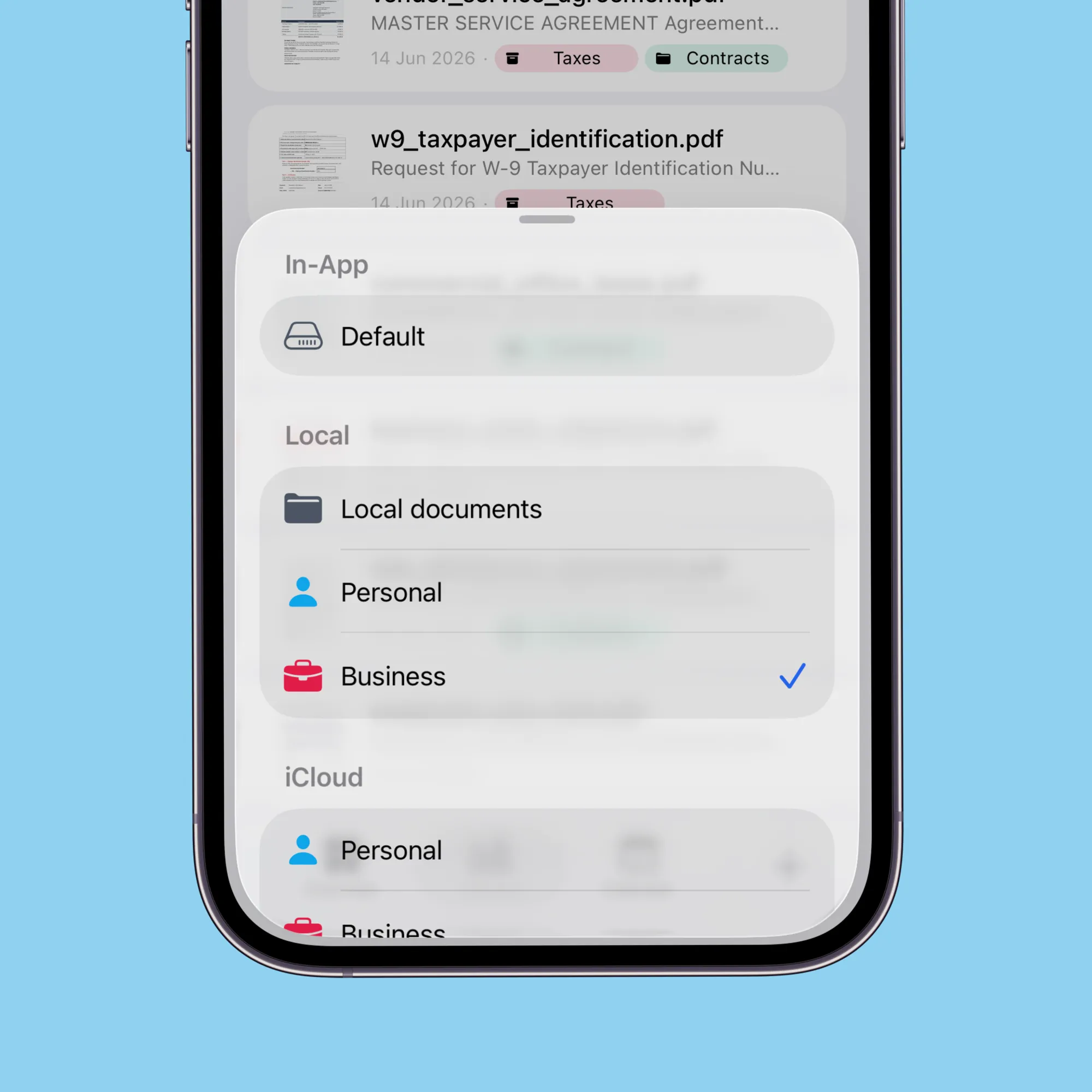
Create vaults and folders for the things you actually need to keep. Keep Work, Medical, Finance, and home paperwork easy to browse.
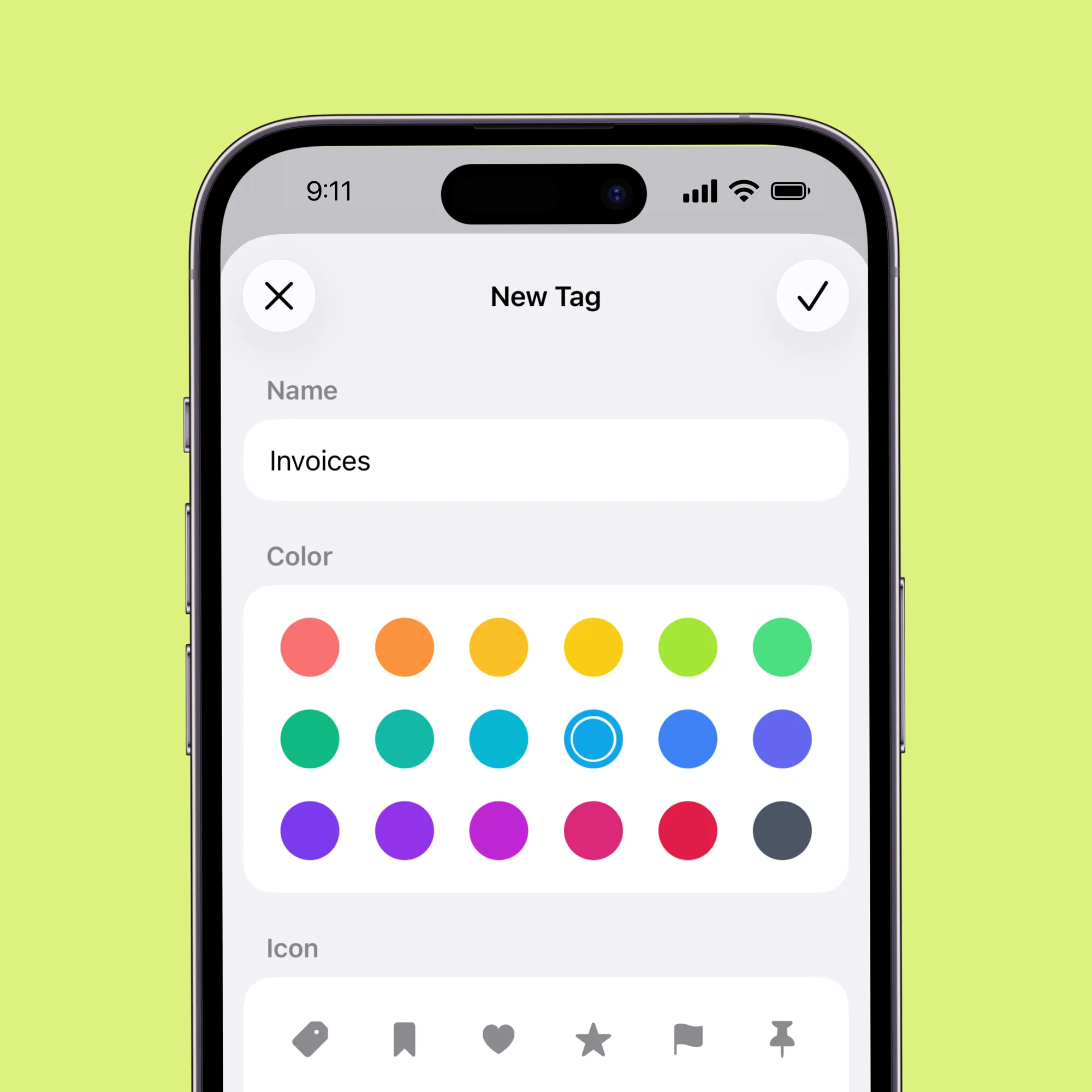
Add the details you’ll remember
Use tags and metadata to mark something “insurance”, “taxes”, or “warranty”, then pull up matching documents wherever they live.
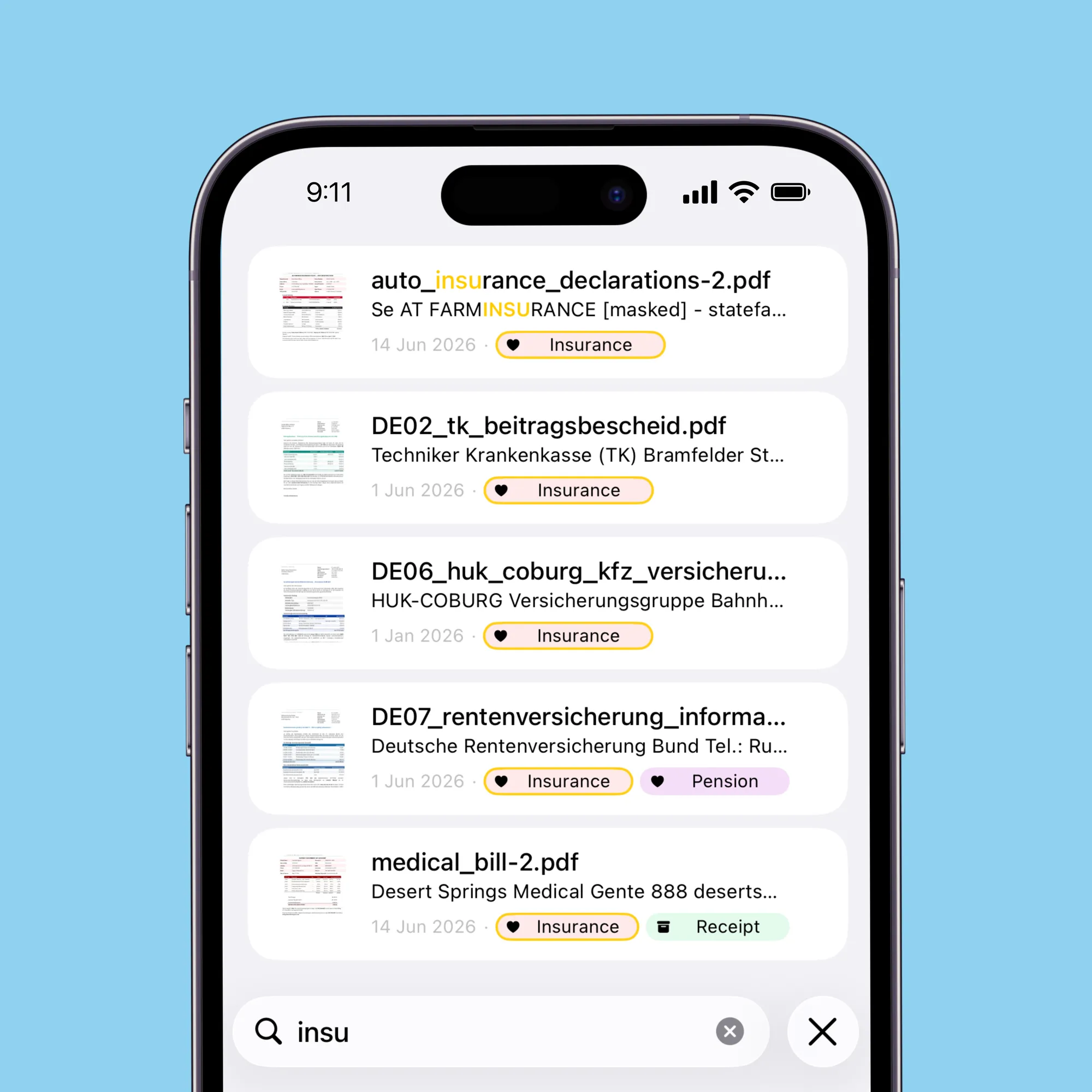
Search like you remember it
Type a name, a word, or a rough date. Search looks across document text, summaries, tags, and metadata to surface the right paper.
What people are saying
Useful app for masking sensitive data with local storage
“This app really works for me. Before that, I struggled with the free version of Adobe when trying to mask sensitive data. But this app was created specifically for this purpose, so it’s much more convenient I quickly edited a file on my mobile phone and sent it to my lawyer. I also really like that all the documents are stored directly on my phone”
Really helpful
“Finally I can organize that shelf full of papers”
Clear and complete
“I tried some apps and I find this one really the best. It’s clear and has everything I need. And an extra thank you for the free masking!”
Questions
Where are my documents stored?
Your documents are kept in the app on your device by default. Optional iCloud vaults are available if you want to keep selected vaults in sync across your Apple devices.
Is it safe to share a document with ChatGPT or another AI tool?
You stay in control of what you send. Optional privacy masking can help remove sensitive details before you share a document with ChatGPT or another AI tool.
What does on-device AI do?
On-device AI can suggest document titles, metadata, tags, and summaries. It helps make paperwork easier to understand and search without presenting itself as professional advice.
Is DocDuck free?
DocDuck is free to download from the App Store. Paid features may apply.
What can I organize with DocDuck?
Bills, contracts, receipts, medical records, insurance, warranties, and everyday paperwork. Scan or import them, keep them in vaults and folders, and add tags or metadata so they are easier to find.
What devices does DocDuck support?
DocDuck is available for iPhone on the App Store. Optional iCloud vaults can help keep selected documents available across your Apple devices.
Put your paperwork in its place.
Scan, organize, and find everyday documents with a private vault built for real life.
Free to download. Paid features may apply.